Worksheet 3
Motors: Make it move
Purpose
This is to introduce you to using the robot's motors,and how to control distances and angles.
Task
You should find out how to set the motor speeds using python.You should also see how to make the program pause for a set time.
You will write your program using Thonny, and download it to the Pico
on one of the UKMARS Robots.
You can write your program by entering it in the top window in Thonny (marked untitled below),
then saving it to the Pico.
Save it to file "main.py", and it will run whenever the robot is switched on.
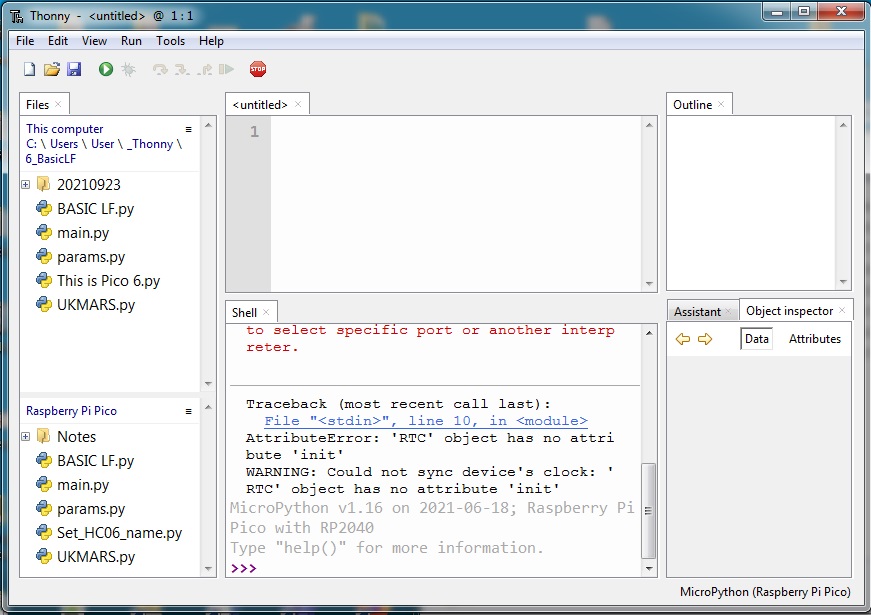
1: Start the program by importing the data, objects and functions needed
The file UKMARS.py should be on your Pico, but if not, download it here
from UKMARS import SW1, Button, lfront , rfront, Motor,led
import time, utime
import time, utime
This will set up the Motor object to control the motors.
2: Next set up two Motor objects, one for the left the other for the right
leftmotor = Motor("L")
rightmotor = Motor("R")
rightmotor = Motor("R")
This will set up two object instance which have a '.speed()' method you can use.
You can use 'speed(0)' to stop , or you can use 'stop()'
3: Create a timed loop that will await a button press.
while Button.value()==0:
time.sleep(0.01)
led.on()
utime.sleep(1)
led.off()
4: Next, commands that make the Robot move!
put this after the loop that awaits the button.
leftmotor.speed(20)
rightmotor.speed(20)
utime.sleep(0.5)
leftmotor.stop()
rightmotor.stop()
This will turn the wheels for half a second, but only after you press the button
5: Now make it turn right
put this after the forward movement in step 4.
leftmotor.speed(20)
rightmotor.speed(-20)
utime.sleep(0.4)
leftmotor.stop()
rightmotor.stop()
This will, go forward, then spin right, but only after you press the button
Extension 1: Now make it do a complete square
You can repeat the above enough times to make a square,
but it will make a long program.
or write a "for" loop that will do it four times
Hint:
for x in range(4):
print(x)
or you can include it in a while True: loop to make it draw until you switch it off!print(x)
1)You will need to adjust the length of the utime.sleep() commands to make the straights the right length.
2)You might need to adjust one of the motor speeds, to make it go in a straight line
1)You will need to adjust the length of the utime.sleep() commands to make the angles 90 degrees.
Extension 2: Now make it await the release of the button before starting
The code below needs to be inserted at the right place
while Button.value()==1:
time.sleep(0.01)
Most robots have a hole in the middle, you can drop a thin felt-tip down,
so that you get a square that you can take home.