Worksheet 32 UKMARS
Wall following Left turn
Purpose
We need to get the wall-follower robot to make decisions as to what to do,- whether to go straight ahead (corridor)
- or to turn left (TurnLeft())
- or to spin right 90 degrees (spinRight())
- or to spin right 180 degrees (U Turn)
For this worksheet we will focus on
- deciding whether to turn left or go straight ahead
- making it cleanly turn left, taking the correct path
This Task
You should install the program from this worksheet HereAnd set up speed, mult from before
You will need to make it detect loss of left wall/
You will need to get the robot to "overrun" forwards a bit, at the end of a corridor,
then curve round to the left so that it is in the centre of the new path.
Step1: Fetch the program used for this worksheet
Download WKS32.py
You don't need to copy it as "main.py" you can pload it to your UKMARS Robot
and set the "main.py" program to run it on switch-on:
include WKS32
The file UKMARS.py should be on your Pico, but if not, download it here
Download the edited version WKS32zU.py
- if you want to skip the steps below
Step2:
Make the corridor subroutine detect the gap in the left wall and exit when it does.
Include this anywhere in the loop inside corridor():
        if left <lthresh:      # Leave corridor if left wall missing
            RightMotor.speed(0)
            LeftMotor.speed(0)    # stop the motors on exit
            return
You might need to adjust lthresh to make it detect the gap correctly.
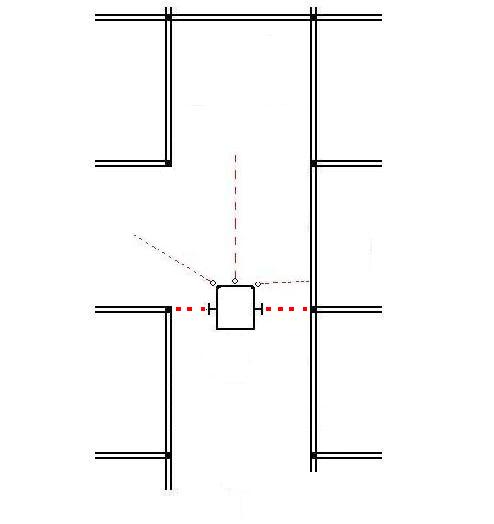
It will stop as soon as the left sensor sees the gap: Therefore the robot stops early,
with the front of the robot behind the entry line for the square
where it should start the turn.

Step3:
Make the robot move forward a little, after detecting the gap,
so that it's ready to begin a gentle left turn.
Do this with motor control commands in the corridor's exit code inserted earlier:
        if left <lthresh:     # if left wall missing
            RightMotor.speed(35) # Go straight ahead adjust speed
            LeftMotor.speed(35)
            time.sleep(lorun)    # adjust lorun to get distance right
            RightMotor.speed(0)  # stop robot
            LeftMotor.speed(0)
            return               # exit corridor
Step4:
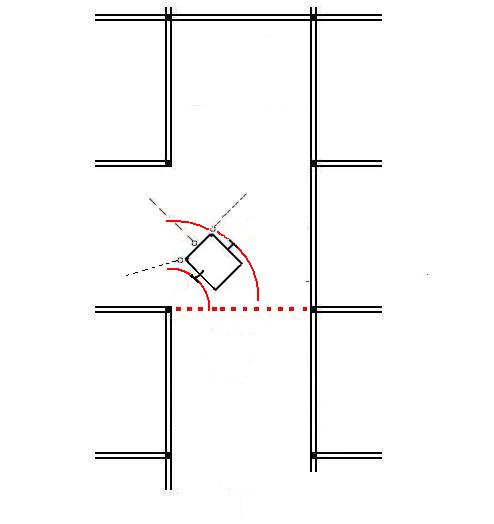
Start a new function "TurnLeft()", to do the gentle curve to the left.
################
#  TurnLeft()  #
################
def TurnLeft():   # gently turn left

    RightMotor.speed(30)     # Right motor faster
    LeftMotor.speed(10)      # than left motor
    time.sleep(0.6)          # adjust time to get 90 degree turn
This function should be called from the main loop when the left wall is missing:
# inside main loop
while True:
    (left,front,right)= ReadWALLS()  # read all 3 walls
    if (left <lthresh):   #  if no left wall
        TurnLeft()
        RightMotor.speed(0)  # Stop after each turn
        LeftMotor.speed(0)   #
        time.sleep(1)        # for 1 second

    else:                    # there is a left wall
        corridor()           # run the corridor, then stop
leaving it in the centre of the left lane:
Step5:
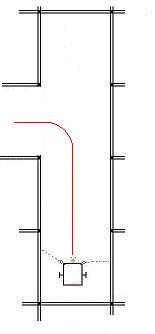
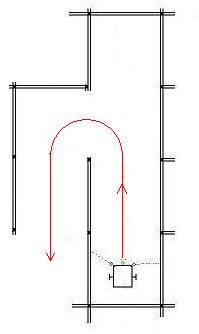
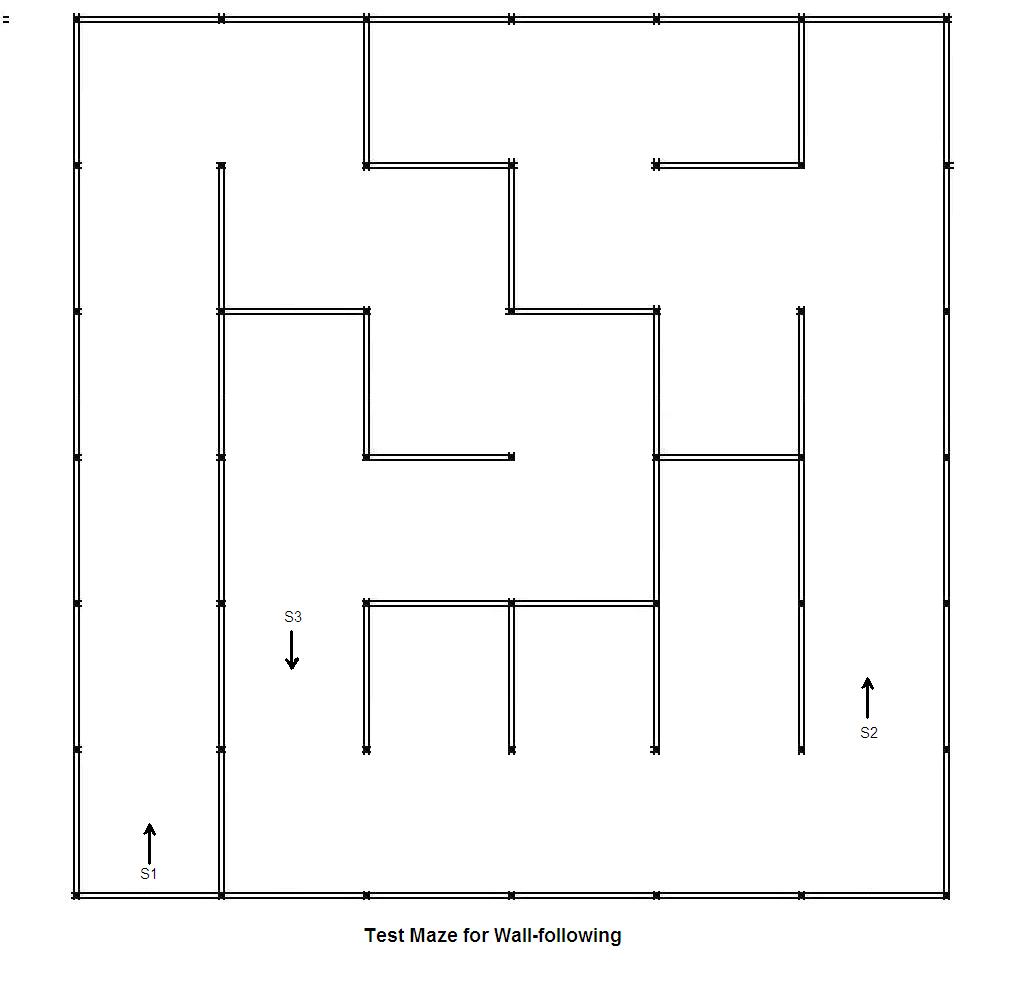
Test the robot on both a single left turn, and a double left turn.
| 1: Single left turn from corridor | 2: Double Turn | |
 |  | |
(1/3/2022)
# Filename to be printed
Thisfile = "WKS32.py"
#Date  1/3/2022

#############
#  imports  #
#############
from machine import Pin, PWM, ADC
import time, utime
from UKMARS import *   # motors and wall sensors and button

##########
#  data  #
##########
speed = 20             # speed in corridor
mult = 0.01            # amount of steering in corridor
target = 3000          # corridor left wall distance

lthresh = 1000         # Left wall present
lorun   = 0.25         # left turn overrun time (used later)

# motors
LeftMotor  = Motor("L")    # set up left motor object
RightMotor = Motor("R")  # set up right motor object
RightMotor.stop()
LeftMotor.stop()

################
#  corridor()  #
################
def corridor():          # go down the corridor
    while True:          # loop forever
        (left,front,right) = ReadWALLS()

        error = left - target     # subtract target
        error = error * mult      # amount of steering

        lspeed = speed + error
        rspeed = speed - error
        RightMotor.speed(rspeed)
        LeftMotor.speed(lspeed)

        time.sleep(0.01)

## Insert extra subroutines (functions) here

##########
#  main  #
##########
print(Thisfile)
print("Prints all 3 wall sensor values")

# await pushbutton press
while Button.value()==0:
    (left,front,right) = ReadWALLS()
    print("L",left,"F",front,"R",right)    # display on Thonny
    time.sleep(0.1)

# await pushbutton release
while Button.value()==1:
    pass

led.on()

# Insert code here to loop forever and
#  decide whether to turn left or run the next corridor


################################
# but we will start with always doing corridor
corridor()
led.off()
RightMotor.stop()
LeftMotor.stop()

#(1/3/2022)